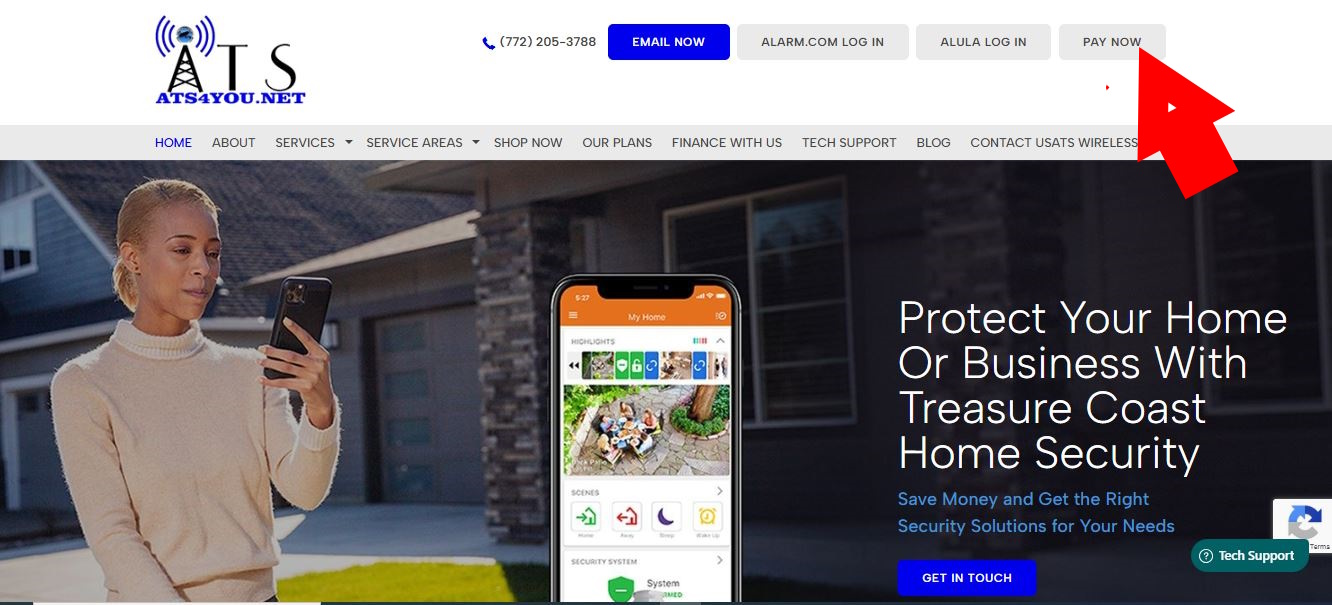
 1. Go to ats4you.net and click on Pay Now.
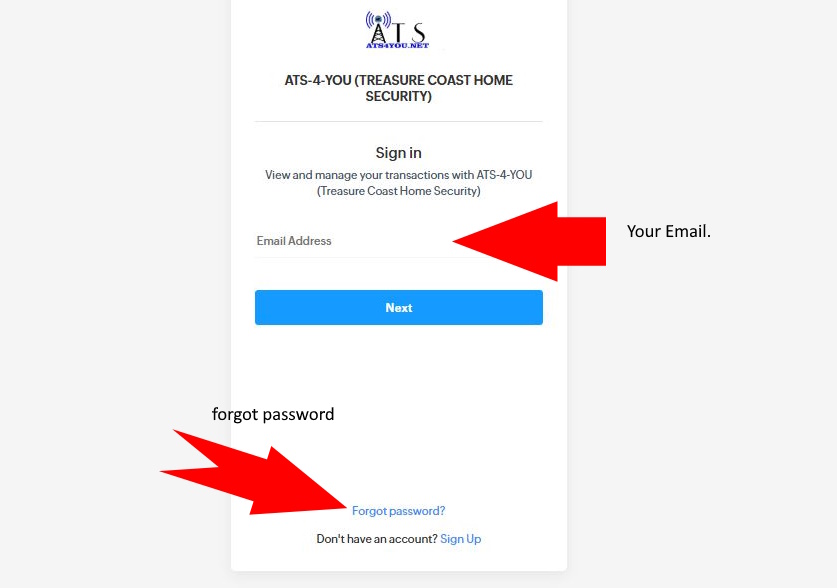
2. Enter your email and password.
IF YOU DONT REMEMBER YOUR PASWSWORD CLICK ON "Forgot password" AND FOLLOW THE STEPS.
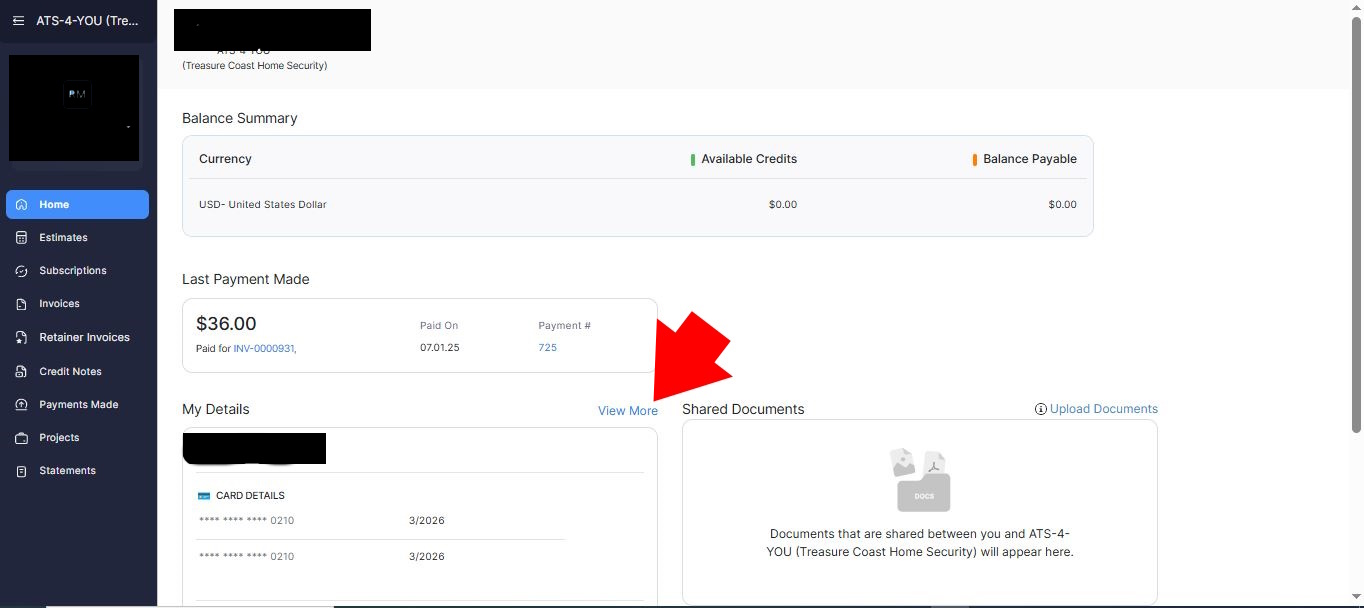
3. Once Logged into your dashboard click on " View More" right above your payment method.
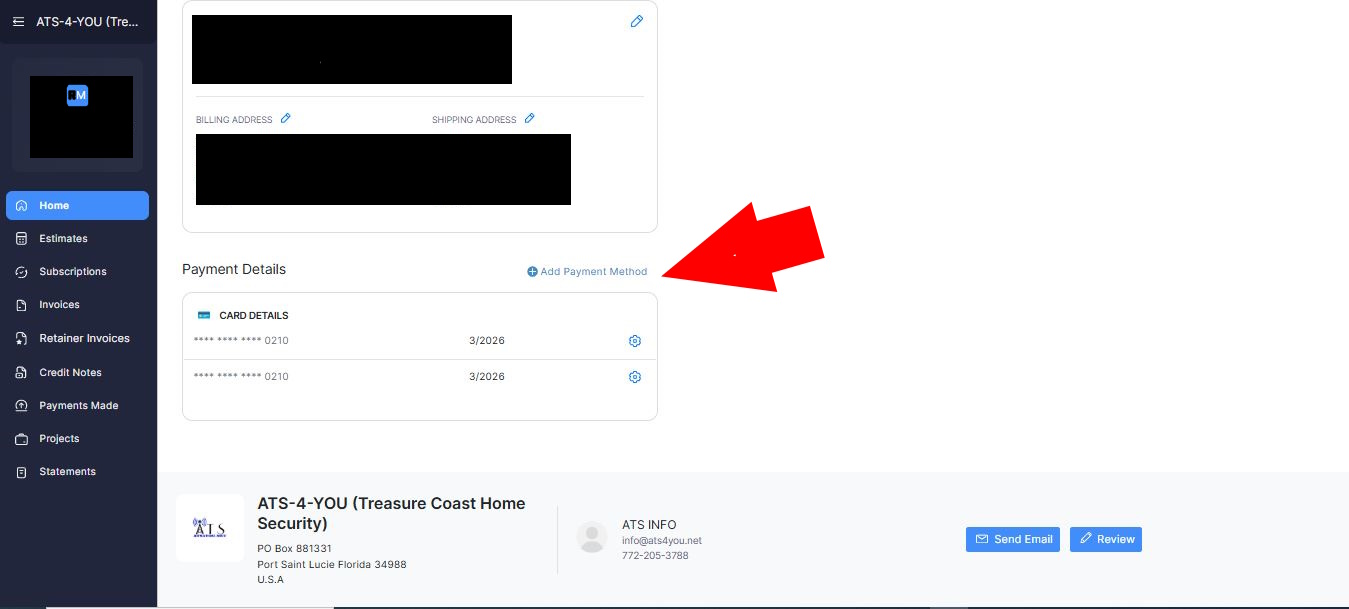
4. Then click on "Add Payment Method"
Was this article helpful?
That’s Great!
Thank you for your feedback
Sorry! We couldn't be helpful
Thank you for your feedback
Feedback sent
We appreciate your effort and will try to fix the article